For Buyers
Your Buyer Workspace is where you find, save, and decide on sustainable solutions — without wading through greenwashing.
TIP
Screens show sample data; your workspace shows your own solutions and decisions.
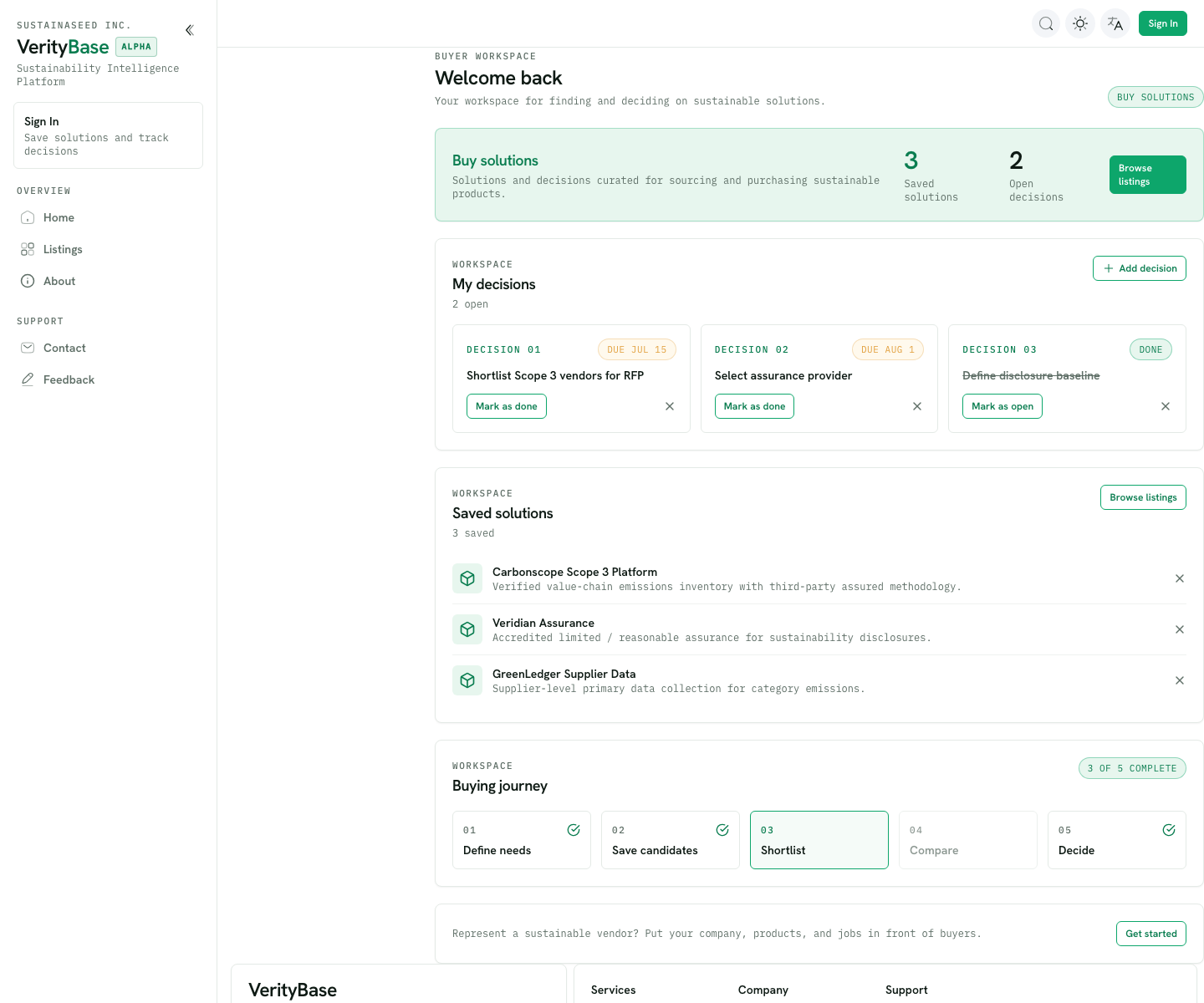
Your workspace at a glance
When you sign in, the Welcome back page brings together:
- Buy solutions — a running count of your saved solutions and open decisions, with a shortcut to Browse listings.
- My decisions — the calls you're working through, each with a due date. Mark them done (or reopen) as you go, or Add decision.
- Saved solutions — the solutions you've kept for a closer look.
- Buying journey — your progress through the five steps below.
The buying journey
VerityBase walks you through five steps: Define needs → Save candidates → Shortlist → Compare → Decide.
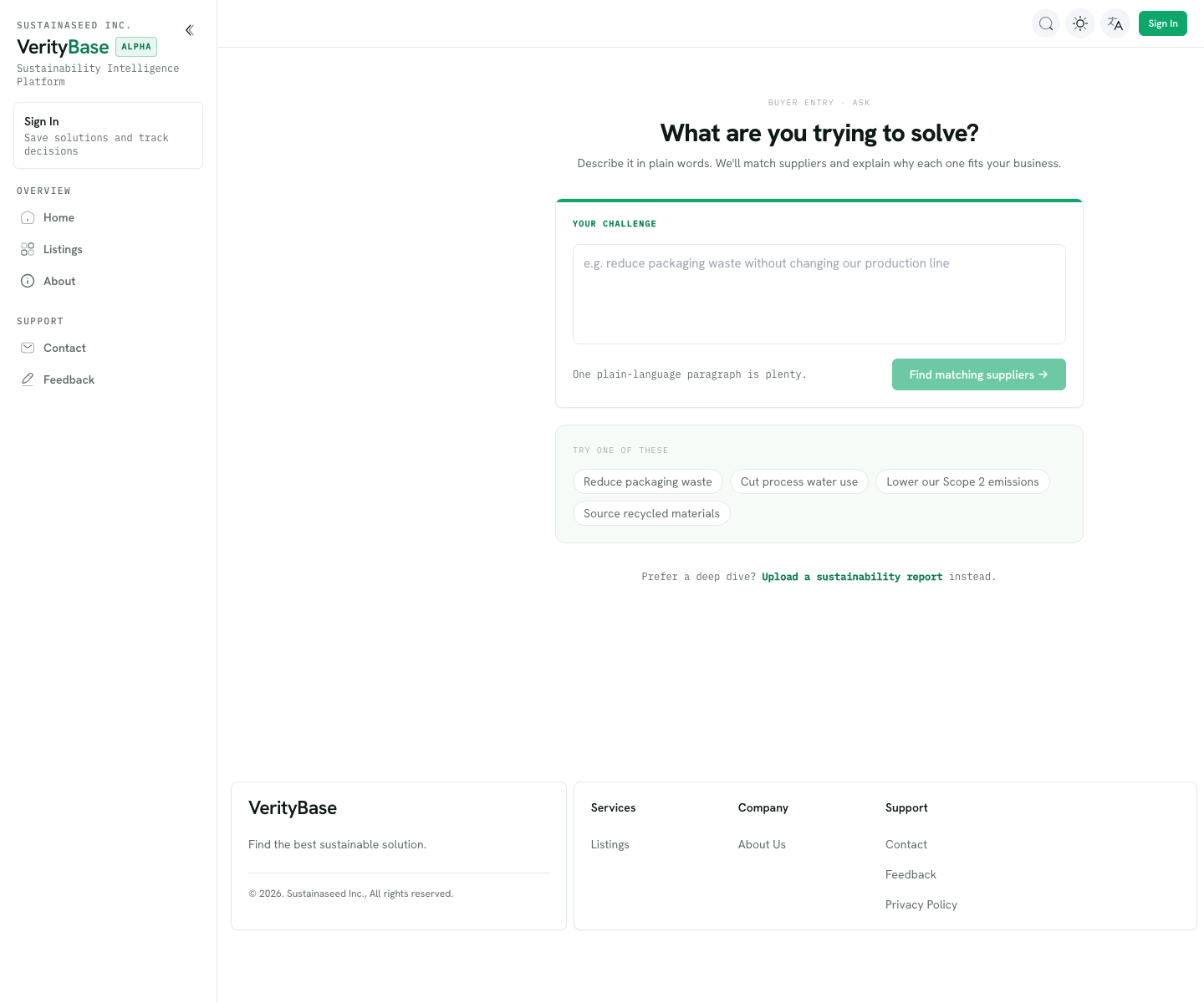
1. Define needs
Describe, in plain words, what you want to improve. The more specific you are, the sharper the matches.
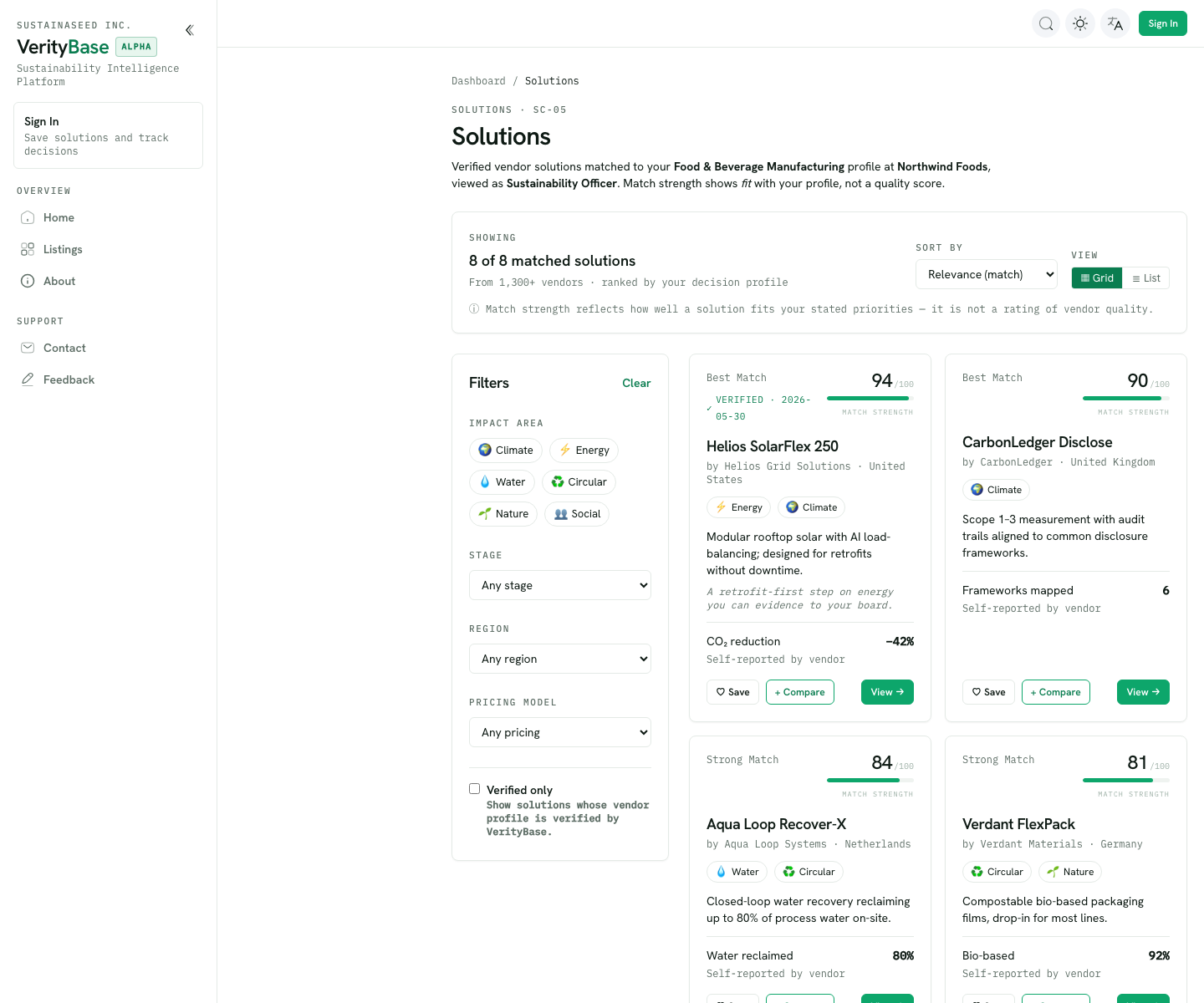
2 & 3. Save candidates and shortlist
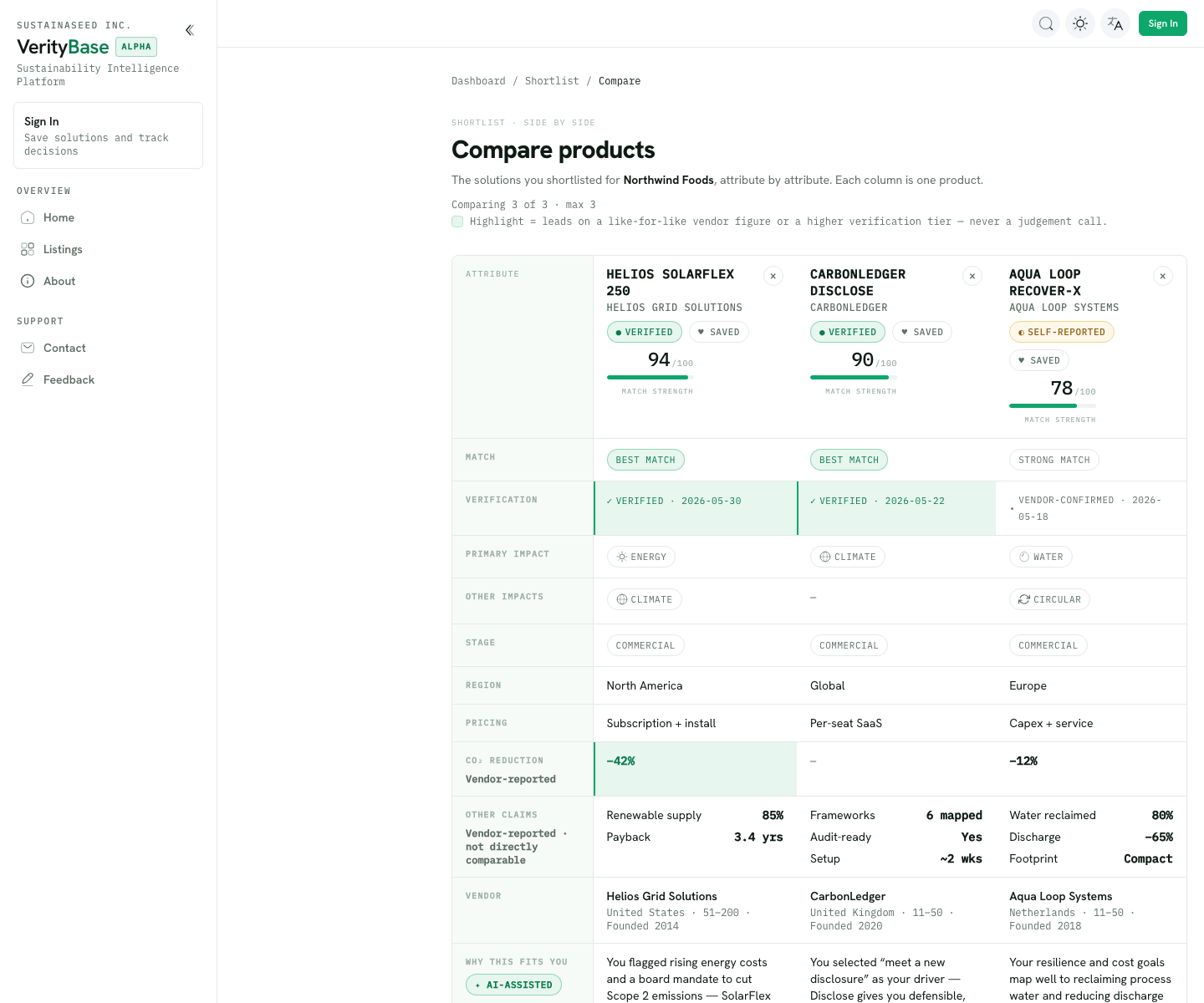
VerityBase ranks solutions against your need. Each result shows a match score (out of 100) and a trust label — see Trust & verification. Save the promising ones; your saved solutions become your Shortlist, which you narrow to a working set.
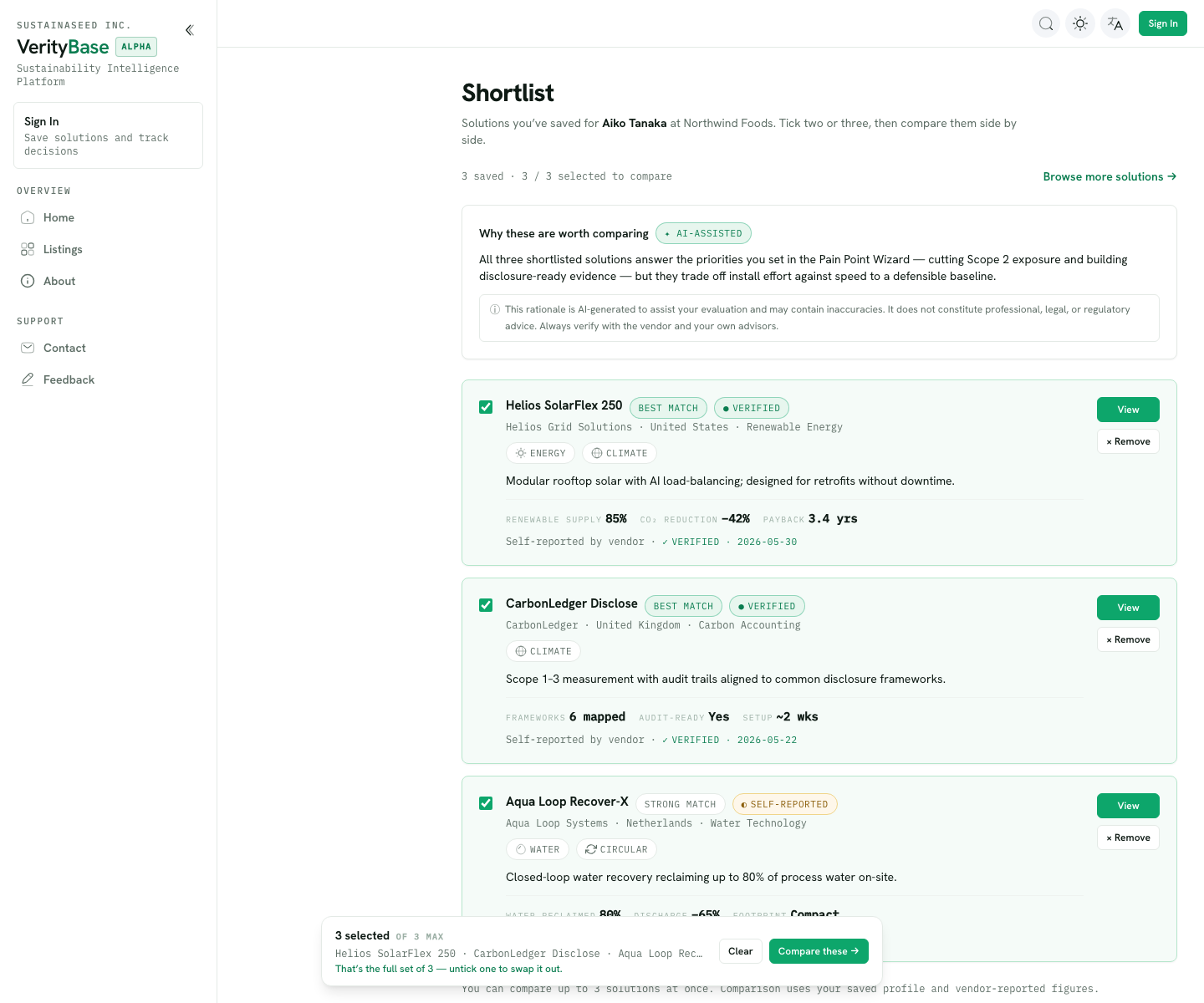
4. Compare
Put your shortlisted candidates side by side to weigh them on what matters to you.
5. Decide
Record the decision in My decisions and move on. Open decisions carry a due date so nothing slips.
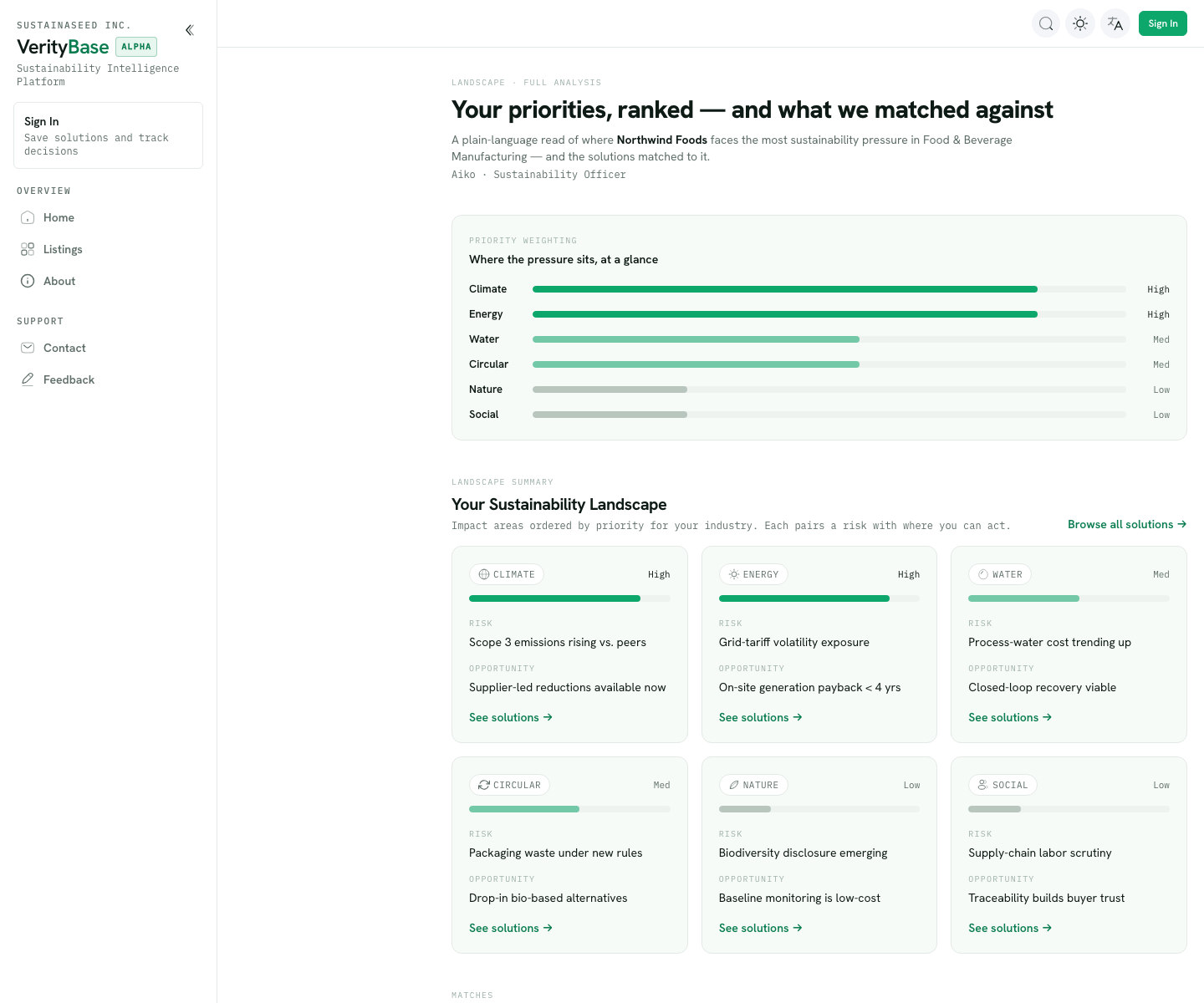
The full-analysis view
For a deeper read, the Landscape — full analysis shows where your organization faces the most pressure across impact areas (Climate, Energy, Water, Circular, Nature, Social). Each area pairs a risk with an opportunity and links straight to matching solutions.
Tips
- The more specific your need, the sharper the matches.
- Read the trust label next to each match score — a high score with a Self-reported label means "promising, but not yet independently checked."